
Custom domain
Give your clients your own address, like peakform.scraler.com or app.peakform.com, instead of app.scraler.com.
Your domain
Open Settings, then Custom Domain. The Your domain card lists the three addresses clients can use. Only one is active at a time.
- Standard domain
- app.scraler.com. Every plan, no setup, no custom branding.
- Your subdomain
- yourname.scraler.com. You pick the name. Plus and higher.
- Custom domain
- app.yourname.com. A domain you own. Ultimate only.
Claim your subdomain
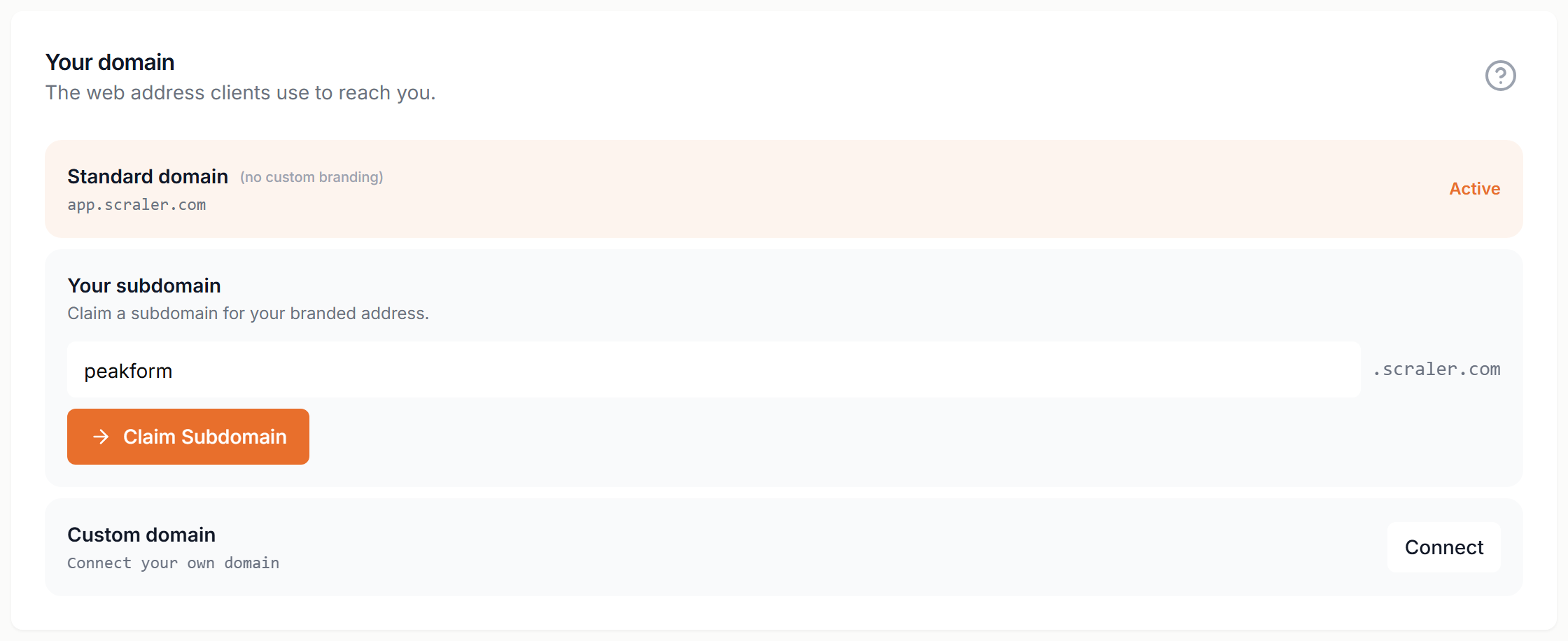
- Type a name in front of .scraler.com. Letters, numbers and dashes only.
- Click Claim Subdomain. Scraler takes you to your new address.
- If Standard domain is still marked Active, click Use this in the Your subdomain row so your clients use the new address too.
To change the name later, click the pencil icon, type a new one and click Save.
Connect your own domain
You need an Ultimate plan, a domain you own and access to its DNS settings. Use a subdomain like app.yourname.com, not the bare domain, because your main domain is probably used by your website.
- In the Custom domain row, click Connect, type your domain and click Add Custom Domain.
- The row is marked Inactive and shows a TXT record and a CNAME record. Keep this page open.
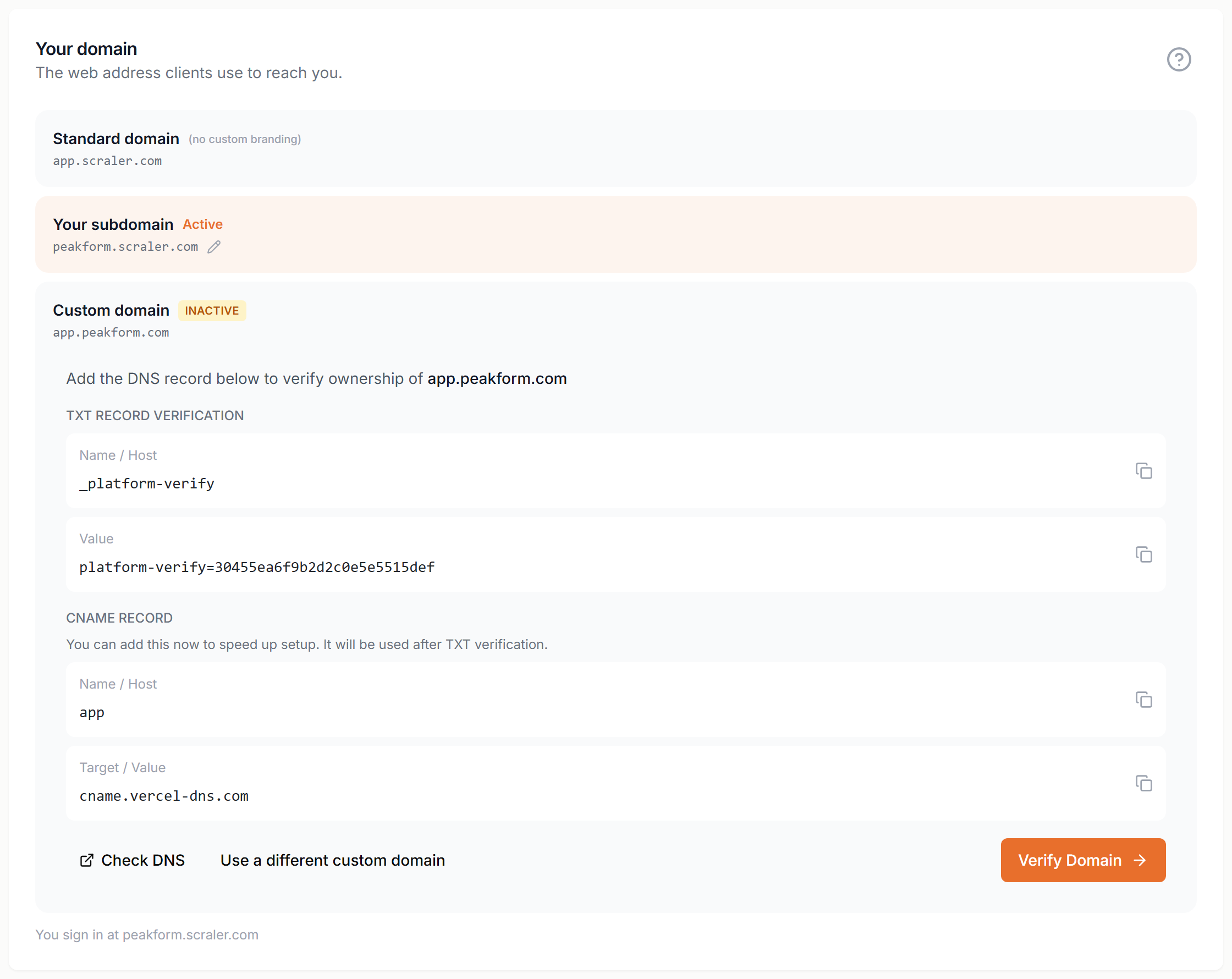
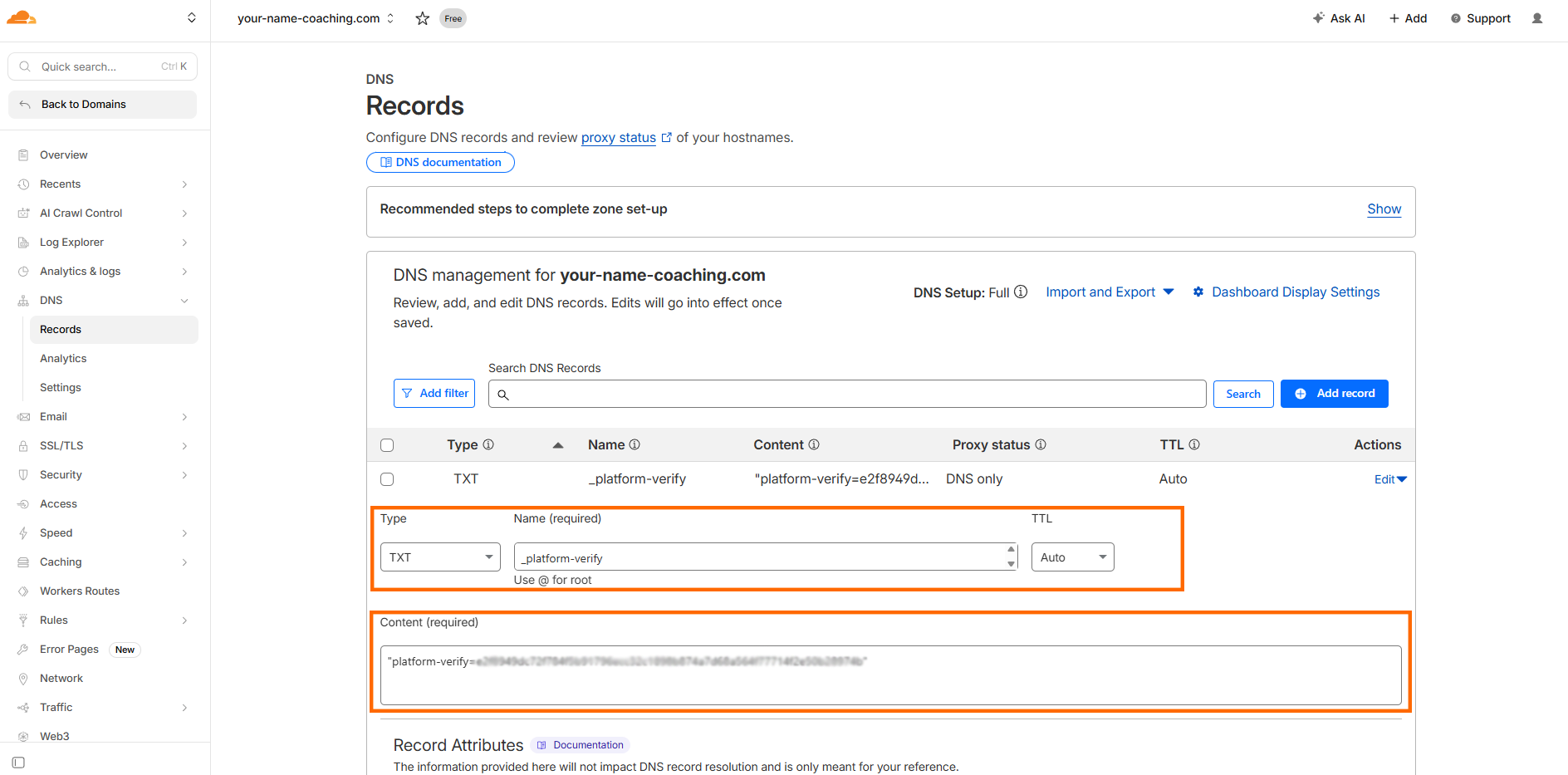
- At your domain provider, add the TXT record. Name: _platform-verify. Value: copy it from Scraler.
- Add the CNAME record. Name: app (or the subdomain you chose). Target: cname.vercel-dns.com.
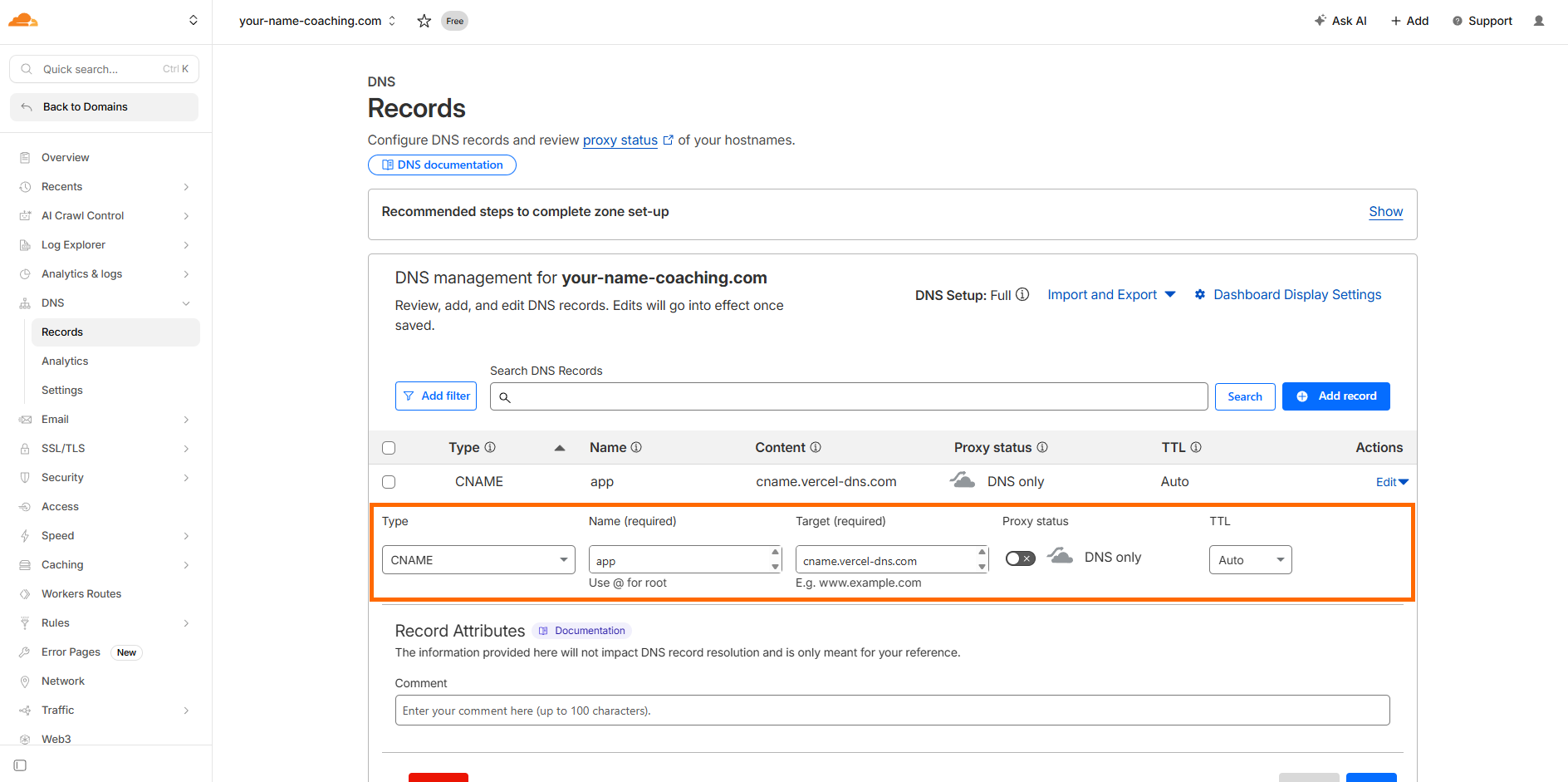
Set the TTL to Auto. On Cloudflare, set the proxy status to DNS only (grey cloud).
- Wait 5 to 10 minutes, then click Verify Domain. If the TXT record is found but the CNAME is not yet, click Verify & Activate once the CNAME is in place.
Closed the page? Click Continue Setup in the Custom domain row to see the records again.
Not working?
- The TXT name starts with an underscore: _platform-verify.
- Copy the values exactly. A space or a missing character breaks them.
- Click Check DNS to see if the records have spread. It can take longer than 10 minutes.
When the domain is live, SSL is set up for you. Your clients use the new address. Your own dashboard stays on your Scraler address.
Switching between addresses
Click Use this in a row, or click the Standard domain row, to change which address clients use. It is active right away. A custom domain can only be picked once it is verified.